
Clockworks Player
A software audio deck for show prep. Load your tracks, set cue points and offsets, and stream real CLX timecode to Viewer, lighting, and video — no DJ, no CDJs, no waiting for rehearsal.
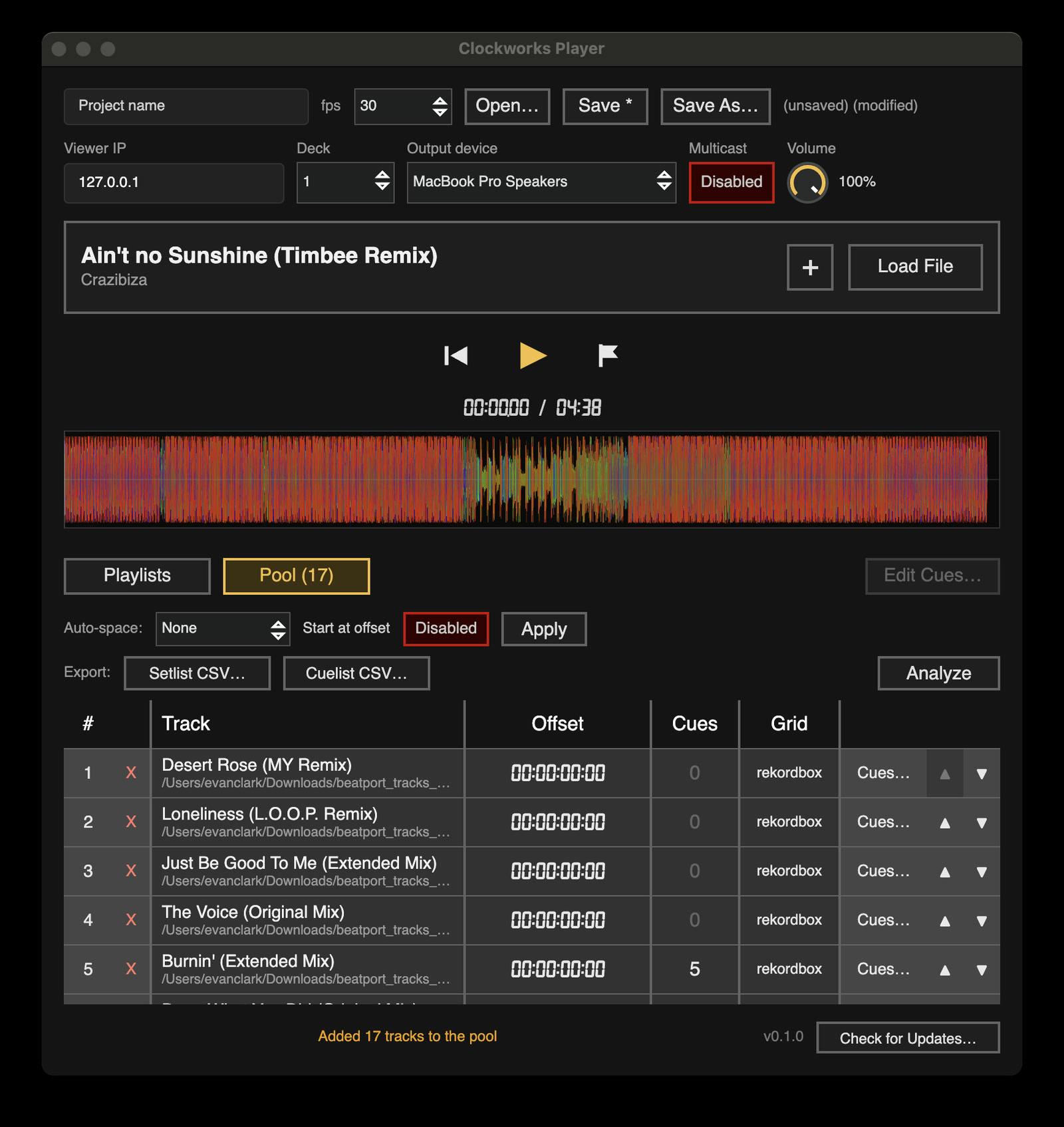
How Player Works
Player stands in for the DJ rig, so the rest of the show can be programmed and rehearsed before it arrives.
Build the pool
Drop tracks into the Pool, or import a playlist or rekordbox XML. Analyze pre-renders waveforms and picks up beat grids for every track.
Set your cues
Dial in per-track offsets and cue points in the built-in cue editor, then export a setlist CSV for Viewer.
Play the show
Hit play. Player streams CLX timecode exactly as Server or Gateway would, so Viewer, lighting, and video respond as if the real rig were live.
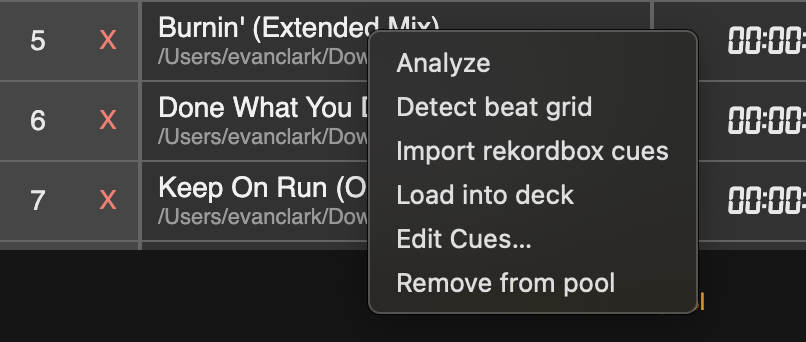
Every track, one right-click
- Analyze — pre-render the waveform
- Detect beat grid
- Import rekordbox cues
- Load into deck
- Edit cues
- Remove from pool
Features
Real CLX output
The same timecode stream as Server and Gateway, so everything downstream behaves identically in prep and on the night.
Pool & setlists
Manage a pool of tracks with per-track offsets and cue points. Save it as a project and export a setlist CSV.
rekordbox import
Load a rekordbox XML export or read playlists straight from a rekordbox USB — grids and cue points included.
Pre-rendered waveforms
Analyze the whole pool once and get high-resolution RGB waveforms ready for Viewer.
Beat-grid detection
Uses the rekordbox grid when there is one, and falls back to on-device ML beat detection when there is not.
Cue editor
The Viewer Pro cue editor, built in — with a popout so it can live on a second display.
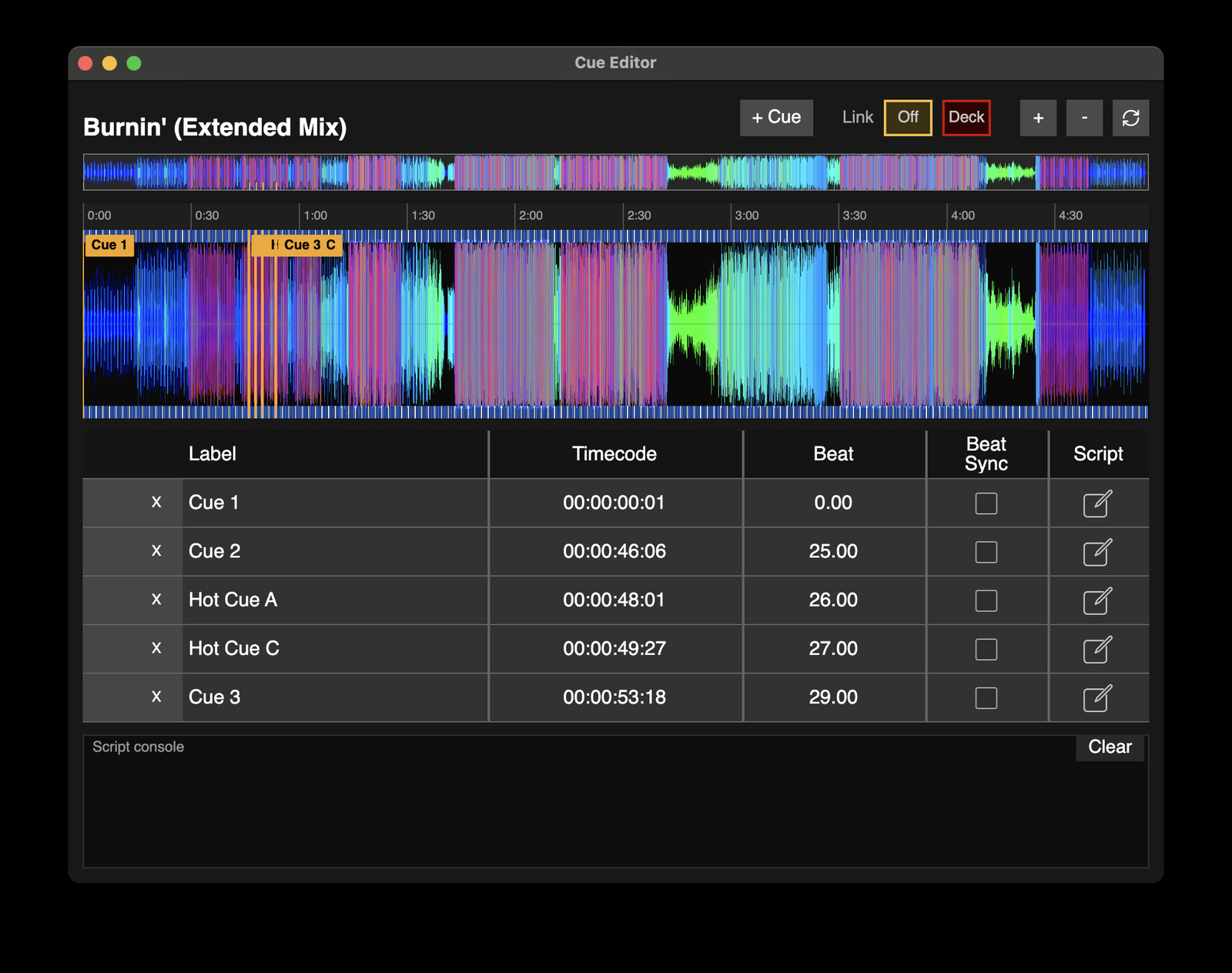
The Cue Editor, built in
The same visual cue editor as Viewer Pro. Place cues on the waveform, snap them to the beat grid, and attach scripts — then hand the finished cue list straight to Viewer.
- Cues placed and dragged on the waveform
- Beat Sync snaps cues to the detected grid
- Per-cue scripts with a live console
- Popout window for a second display
- Cuelist CSV export for Viewer